
Mastering a cordless drill is the first step to unlocking your DIY potential, and this guide delivers everything beginners need to know about selecting, using, and maintaining these essential power tools. From understanding voltage differences and battery types to discovering must-have features and professional techniques, you’ll gain the confidence to tackle any project. Stop struggling with confusing options and start creating like a pro today.
Key Takeaways
- Voltage matters: Higher voltage (18V+) means more power for tough jobs, but 12V is lighter for basic tasks.
- Lithium-ion is best: Lithium-ion batteries are lighter, last longer, and have no memory effect compared to Ni-Cd.
- Chuck size counts: 3/8-inch handles most home projects, while 1/2-inch accepts larger bits for heavy-duty work.
- Master speed control: Use low speed (0-400 RPM) for driving screws, high speed (1,200+ RPM) for drilling holes.
- Adjust torque settings: Adjust torque settings to avoid stripping screws—start low and increase gradually.
- Choose correct bits: Match drill bits to material—wood, metal, masonry—and keep a variety set handy.
- Maintain your drill: Keep batteries charged, clean vents, and store bits properly to extend tool life.
Why This Matters / Understanding the Problem
Remember that first time you held a cordless drill? Maybe you were staring at a shelf you wanted to hang, or trying to assemble furniture with confusing instructions. Your palms got sweaty. You worried about stripping screws, drilling crooked holes, or worse—hurting yourself. I’ve been there too. That’s exactly why this Cordless Drill Beginner Guide Everything You Need To Know exists. It cuts through the confusion so you can tackle projects with confidence, not fear.
Most beginners make simple mistakes that ruin materials or waste time. Maybe you’ve seen someone force a drill bit until it snaps, or use the wrong setting for concrete. These errors aren’t your fault—they’re just signs you haven’t found clear, practical guidance yet. This guide fixes that. We’ll turn “I can’t do this” into “I just did!” with steps anyone can follow.
Whether you’re hanging curtains or building a deck, understanding your drill transforms how you approach home projects. Let’s unlock that power together.
What You Need
Don’t stress about having the fanciest tools. When I started, I used a basic drill I found at a garage sale. Here’s what you actually need to begin:
Visual guide about Cordless Drill Beginner Guide Everything You Need To Know
Image source: uktoolguide.com
- Cordless drill: An 18V or 20V model is perfect for beginners. Check out our best cordless drill picks if you’re shopping.
- Battery and charger: Most drills come with these. Always charge the battery fully before starting.
- Drill bits: Get a basic set with wood, metal, and masonry bits. Brad-point bits for wood are game-changers.
- Screwdriver bits: Phillips and flathead tips are essential. Many sets include these.
- Safety glasses: Non-negotiable. Dust and debris love flying into eyes.
- Tape measure and pencil: For marking where holes go.
- Clamps: To hold materials steady (your third hand!).
That’s it! You don’t need fancy attachments yet. Master these basics first. Later, you might explore specialty bits or how impact drivers differ from drills, but today we’re keeping it simple.
Step-by-Step Guide to Cordless Drill Beginner Guide Everything You Need To Know
This Cordless Drill Beginner Guide Everything You Need To Know breaks down your first project into bite-sized steps. I’ll share exactly what I wish someone told me years ago. Let’s get drilling!

Visual guide about Cordless Drill Beginner Guide Everything You Need To Know
Image source: vulkk.com
Step 1: Charge Your Battery and Prep Your Workspace
Plug in your battery charger and wait until it’s fully charged—usually 1-2 hours. A weak battery makes the drill sluggish and frustrates beginners. While that’s charging, clear your workspace. Good lighting matters more than you think. Lay out all your tools so nothing’s out of reach mid-project.
Pro tip: Keep a notebook nearby. Jot down measurements or settings that work. You’ll thank yourself later.
Step 2: Insert the Battery and Bit Correctly
Slide the battery into the drill’s base until it clicks. Test it by pressing the trigger gently—you should feel it engage. Now for the bit: open the chuck (the metal sleeve at the front) by twisting it counterclockwise. Insert your bit straight in, then twist the chuck clockwise to tighten. Give it a firm tug to ensure it’s secure. Loose bits wobble and ruin holes.
Common mistake: Forcing the bit in at an angle. Always align it straight with the chuck. If it’s crooked, your hole will be too.
Step 3: Adjust Speed and Torque Settings
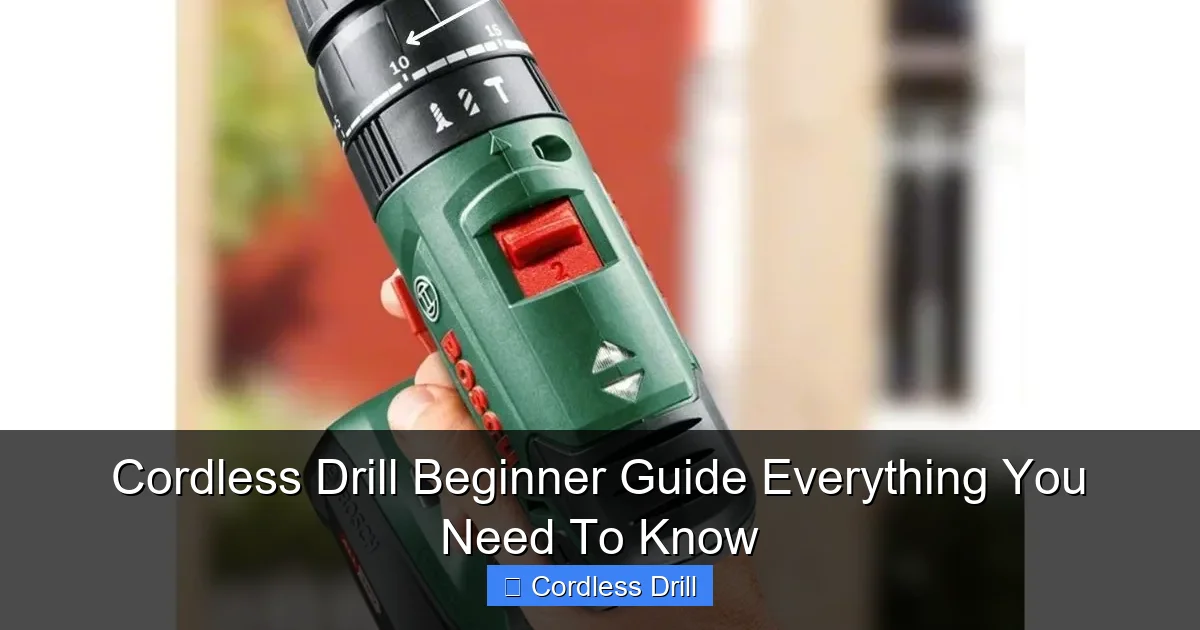
Your drill has two key settings: speed (RPM) and torque (clutch strength). Start with low speed (the “1” setting) for driving screws. Use high speed (“2”) for drilling holes. Torque settings prevent stripping screws—start at #3 for soft wood, #8 for hard surfaces. When the clutch slips (you’ll hear a clicking sound), stop. That means you’ve hit the right resistance.
Personal insight: I stripped dozens of screws before learning this. The torque setting is your best friend—it stops you from crushing materials.
Step 4: Mark Your Spot and Start Drilling
Measure twice, drill once! Mark your hole location with a pencil. For precision, tap a nail hammer lightly where you’ll drill—this creates a “pilot dent” so the bit doesn’t wander. Hold the drill perpendicular to your surface (use a square if needed). Start slow, press gently, and let the drill do the work. If drilling metal or tile, use a center punch first to prevent slipping.
Remember: Steady pressure beats frantic pushing. If the drill bogs down, reduce pressure immediately.
Step 5: Drive Screws Like a Pro
Switch to a screwdriver bit. Set your drill to low speed and low torque (start at #3). Place the bit firmly into the screw head. Press down while slowly squeezing the trigger. When the screw is flush, stop—don’t keep going or you’ll strip the head. For delicate materials like drywall, use the drill’s “pulse” mode if available.
Warning: Never use drill mode for screws—it’ll spin them too fast and ruin the material. I learned this hanging a picture frame… twice.
Step 6: Practice on Scrap Material First
Before touching your real project, grab a scrap piece of wood or cardboard. Practice drilling holes and driving screws here. Test different speeds and torques. Notice how the drill feels when it’s working smoothly versus when it’s struggling. This builds muscle memory so you won’t panic during real projects.
Fun fact: My first “scrap wood” was an old fence plank. Now I keep a dedicated practice board in my garage.
Pro Tips & Common Mistakes to Avoid
After years of drilling, I’ve collected hard-won wisdom. These tips save time, money, and frustration:

Visual guide about Cordless Drill Beginner Guide Everything You Need To Know
Image source: i.pinimg.com
- Keep bits sharp: Dull bits wander and overheat. A $5 sharpener pays for itself fast.
- Reverse for stuck bits: Hit the reverse button (↶) to back out a jammed bit without breaking it.
- Angle matters: Always drill straight in (90 degrees). Angled holes weaken joints.
- Battery care: Store batteries at room temperature. Cold kills their lifespan.
Biggest beginner trap: Using the wrong bit for the material. Wood bits have sharp points; masonry bits are blunt and carbide-tipped. Mixing them up cracks tiles or splinters wood. When in doubt, check the package—or ask at the hardware store.
Also, don’t ignore the manual! Every drill has quirks. My old model had a hidden depth stop feature I discovered months later. Finally, if you’re drilling into walls, always check for wires and pipes with a stud finder. Safety first!
FAQs About Cordless Drill Beginner Guide Everything You Need To Know
Got questions? I answer the ones I hear most often over coffee with new DIYers.
Q: What’s the difference between a drill and a hammer drill?
A: Great question! Standard drills spin only—perfect for wood, metal, and plastic. Hammer drills add a rapid forward/backward motion for concrete and brick. For 90% of home projects, a regular cordless drill is enough. Save hammer drills for masonry work.
Q: How do I know when the battery is charged?
A: Most chargers have an LED light—red for charging, green for full. If yours lacks this, set a timer. Overcharging damages batteries. When in doubt, unplug after 2 hours.
Q: Why does my drill bit keep slipping?
A: Usually two reasons: the chuck isn’t tightened enough (twist it firmly), or you’re using a worn bit. Check the bit’s shank—if it’s smooth, replace it. Rough shanks grip better.
Q: Can I use my cordless drill in the rain?
A: Absolutely not. Water and electricity don’t mix. Even “weather-resistant” drills need dry conditions. Work under cover or wait for clear skies.
Q: How tight should I set the torque?
A: Start low (#3) and increase until the screw sits flush without stripping. The clicking sound means you’ve hit the limit—stop there. For hinges, slightly under-tighten to allow movement.
Q: Is a higher voltage drill always better?
A: Not for beginners! 12V drills are lighter for small tasks; 18V/20V handle heavy jobs. Start with 18V—it’s the sweet spot for power and weight. You can always step up later.
Q: My drill smells like burning—what now?
A: Stop immediately! This means you’re forcing it or the motor is overheating. Let it cool for 15 minutes. Next time, use less pressure and ensure you’re on the right speed setting.
🎥 Related Video: Cordless Drill Basics | Beginner
📺 Training Hands Academy
Today we’re talking about cordless drill basics for the beginner. If you’re new to carpentry or woodworking, the cordless drill will …
Final Thoughts
You now have everything for your Cordless Drill Beginner Guide Everything You Need To Know journey. Remember: every expert was once a beginner who didn’t quit. Start small—hang a photo frame, build a planter box, or fix a wobbly chair. Each project builds confidence.
Don’t aim for perfection right away. My first shelf leaned like the Tower of Pisa. What matters is you tried, learned, and improved. Keep your drill charged, bits organized, and safety glasses on. Soon, you’ll be the go-to person for home repairs among friends.
Ready for your next step? Explore our cordless drill category for advanced techniques or tool comparisons. Your projects await—now go make something awesome!
