
Your cordless drill lifespan depends on three key factors: battery care, proper usage, and regular maintenance. This guide reveals practical, science-backed strategies to make your drill last years longer. Stop wasting money on replacements and start protecting your investment.
Key Takeaways
- Battery care is 80% of the battle: Store batteries at 40-60% charge in moderate temperatures to prevent capacity loss.
- Never run your drill to failure: Stop when you notice power dropping. Deep discharges destroy battery cells.
- Clean after every use: A quick brush of vents and chuck prevents overheating and mechanical failure.
- Match the tool to the task: Using your drill for hammering or driving long screws strains the motor unnecessarily.
- Proper storage prevents damage: Keep drills in their case, away from moisture and extreme temperatures.
- Schedule monthly maintenance: Check brushes, lubricate moving parts, and inspect batteries to catch problems early.
Why Your Cordless Drill Lifespan Matters
That cordless drill in your toolbox represents a serious investment. A quality model costs $100-$300 or more. Replacing it every 2-3 years burns a hole in your wallet. Worse, it creates unnecessary waste. The average cordless drill can last 5-10 years with proper care. The difference between a drill that dies in 3 years and one that powers through a decade comes down to simple habits. This guide breaks down exactly what you need to do, step by step, to maximize your cordless drill lifespan.
You do not need to be a professional contractor to master these techniques. Most tips take less than a minute but deliver massive results. Think of it like brushing your teeth for your power tools. Small, consistent actions prevent expensive problems. Before we dive in, choosing a quality tool matters. Check out our guide to the best cordless drill options that are built to last.
Battery Care: The Heart of Cordless Drill Longevity
Your battery pack is the single most expensive component. It is also the most fragile. Lithium-ion batteries degrade whether you use them or not, but smart habits slow this process dramatically. Most battery failures come from heat, deep discharge, and improper storage. Let us fix that.

Visual guide about Boost Your Cordless Drill Lifespan Tips That Actually Work
Image source: microburs.com
Master the Partial Charge Cycle
Lithium-ion batteries love partial charges. Unlike old nickel-cadmium batteries, they suffer no “memory effect.” In fact, charging to 100% and draining to 0% stresses the cells. Aim for the 20-80% sweet spot. Charge when your battery drops to 20-30%. Unplug when it reaches 80-90%. Most modern chargers show this with indicator lights.
For example, if you are halfway through a project and the battery warning light flashes, swap it out. Put the weak battery on the charger. By the time you finish with a second battery, the first one will be ready. This approach keeps both batteries in the optimal range. Your cordless drill lifespan extends because the batteries endure less stress.
Never Store Batteries Empty or Full
Storing a battery at 0% charge is a death sentence. The internal protection circuit can shut down permanently. Storing at 100% charge accelerates chemical breakdown. The perfect storage charge is 40-60%. Before putting your drill away for weeks or months, charge or discharge to this range.
Many chargers have a “storage mode” that automatically discharges to 50%. Use it. If yours lacks this feature, simply run the battery in a low-draw tool like a flashlight for a few minutes to hit the sweet spot. Mark batteries with a “storage date” using a permanent marker. Check them every 3 months and top up to 50% if needed.
Control Temperature Like a Pro
Heat is the number one battery killer. Never leave batteries in a hot car, truck bed, or direct sunlight. Temperatures above 100°F (38°C) cause irreversible damage. Cold is less harmful but still problematic. Below freezing, capacity drops temporarily. Below 20°F (-7°C), never charge the battery. Let it warm to room temperature first.
When working in summer, keep spare batteries in a cooler with an ice pack. Wrap them in a towel to prevent condensation. In winter, store batteries in your pocket between uses to keep them warm. Your cordless drill lifespan will thank you when you can work through cold mornings without power loss.
Avoid Overcharging Completely
Modern chargers are smart. They stop charging when full. But leaving batteries on the charger for days or weeks still causes problems. The charger may “top up” periodically, creating small heat cycles that degrade cells. Unplug batteries once charged. If you forget, buy a timer plug for $10. Set it for 2 hours and walk away.
Some premium chargers have an “auto shut-off” feature. Look for this when buying new equipment. For existing setups, get in the habit of checking the charger twice daily. A simple phone reminder works wonders. Your batteries will stay cooler and last longer.
Proper Usage Techniques That Prevent Wear
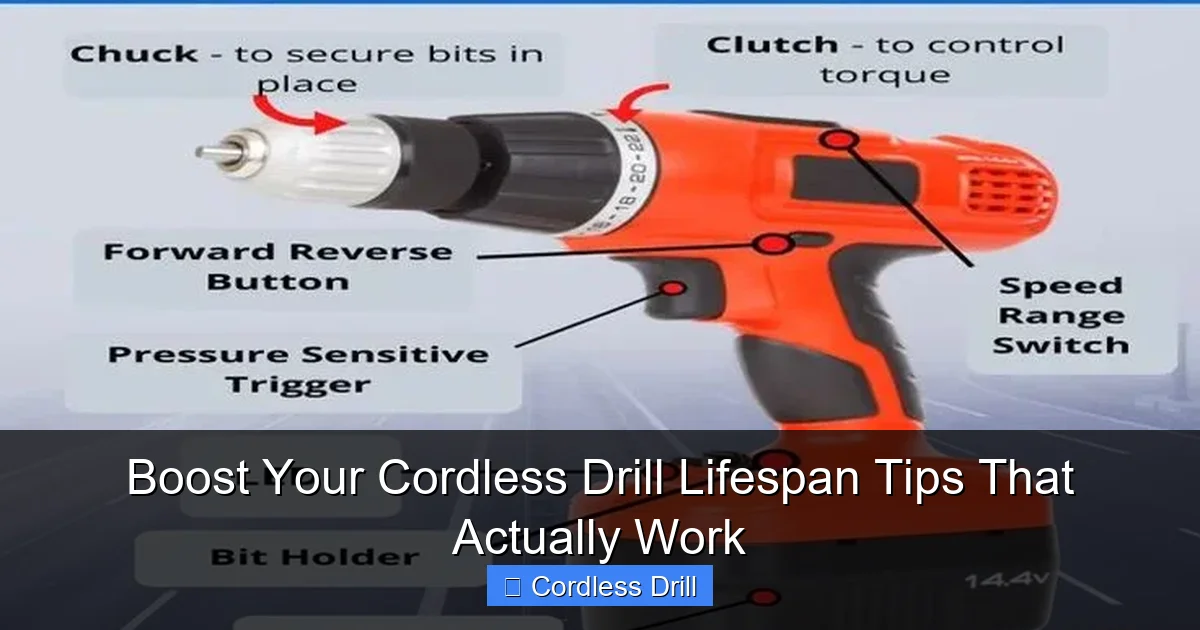
How you use your drill matters as much as how you store it. Pushing your tool beyond its limits causes premature motor and gear failure. Smart operators get decades from their drills. They match the tool to the task and respect its limits.
Visual guide about Boost Your Cordless Drill Lifespan Tips That Actually Work
Image source: i.pinimg.com
Choose the Right Bit for Every Job
Using the wrong bit is like using a hammer to drive a screw. It works for a while, then everything breaks. For wood, use sharp brad-point bits. For metal, use cobalt or titanium-coated bits. For masonry, you need a hammer drill bit, but more on that in a moment. Dull bits cause your drill to work harder, generating excess heat that damages the motor.
Inspect bits before each use. If the tip is rounded or the flutes are clogged, sharpen or replace it. A $5 bit can save your $200 drill. Keep a variety of bits sharp and ready. This simple habit reduces motor strain and extends your cordless drill lifespan significantly.
Match Speed and Pressure to the Material
High speed with heavy pressure is a recipe for burnout. Hard materials like metal need slow speeds and light, consistent pressure. Soft materials like pine need higher speeds but still moderate pressure. Let the bit do the work. Your drill is a precision tool, not a demolition hammer.
Start at 300-500 RPM for metal. Use cutting oil for holes larger than 1/4 inch. For wood, 1,000-1,500 RPM works well. For driving screws, use the drill’s clutch setting, not full power. The clutch stops turning when resistance gets too high, preventing stripped heads and motor strain. Practice on scrap material to find the perfect settings.
Let Your Drill Cool Down
Continuous drilling generates heat that cooks the motor windings. After 2-3 minutes of heavy use, stop for 30 seconds. Let the air vents clear and the motor cool. This is especially important for deep holes or dense materials. Your drill will run cooler and last years longer.
Feel the housing near the vents. If it is too hot to touch comfortably, you are pushing too hard. Switch to a second battery while the first cools. This rotation keeps both batteries and the motor in optimal condition. Think of it as letting a car engine rest on a long drive.
Use the Right Tool for the Job
Your cordless drill is versatile, but it is not a hammer drill or impact driver. Trying to drill into concrete with a standard drill will destroy the motor in minutes. Driving long deck screws with a drill strains the gearbox. Know when to reach for a different tool.
For concrete or brick, rent a hammer drill. For driving lots of screws, an impact driver is faster and easier on your wrist and the tool. If you only own a drill, work slowly and use pilot holes. Trying to force a job your drill cannot handle is the fastest way to shorten its lifespan. Learn more about tool differences in our guide on impact drivers versus hammer drills.
Essential Maintenance That Takes Minutes
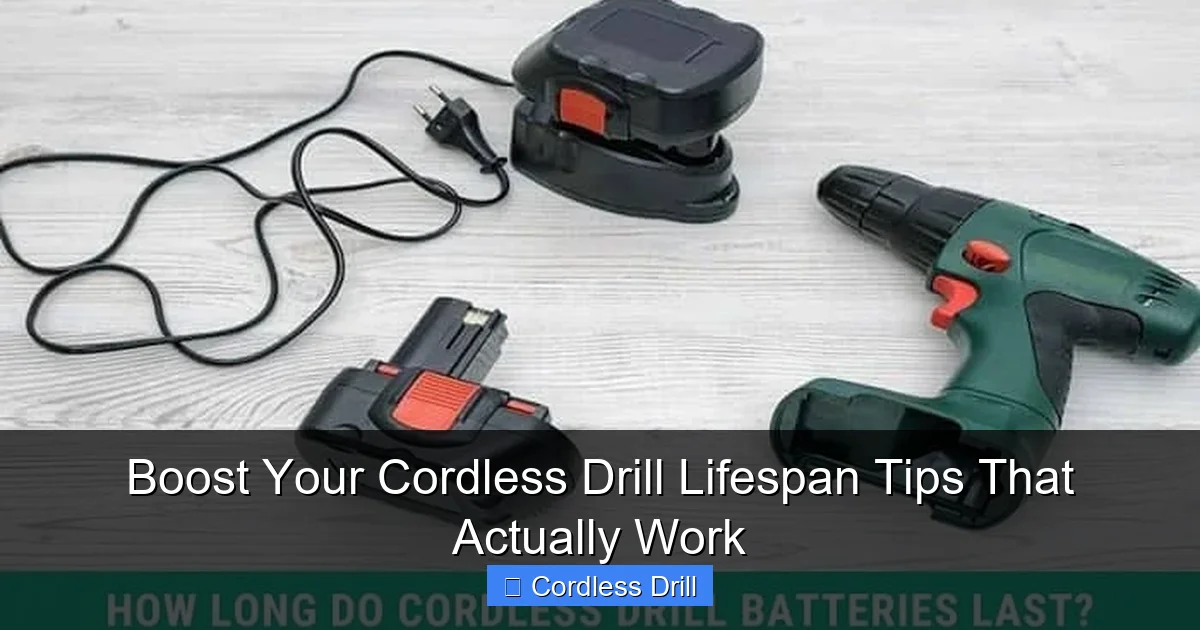
Maintenance sounds complicated, but it is mostly cleaning and inspection. Spending 5 minutes after each project prevents 90% of common failures. Make this part of your routine, like putting tools back in their places.
Visual guide about Boost Your Cordless Drill Lifespan Tips That Actually Work
Image source: drillvilla.com
Clean Vents and Chuck After Every Use
Dust and debris clog air vents, causing overheating. Wood chips and metal shavings jam the chuck mechanism. After unplugging the battery, use a stiff brush to clean the vents. A toothbrush works perfectly. Blow out remaining dust with compressed air or a simple lung-powered puff.
For the chuck, open it fully and brush out any debris. Wipe the jaws with a dry cloth. If it is sticky, use a drop of degreaser on a rag. Never use water directly on the chuck. This prevents rust and keeps the mechanism moving smoothly. Your cordless drill lifespan depends on staying cool and clean.
Inspect Brushes Monthly
Most cordless drills have carbon brushes that conduct electricity to the motor. These wear down over time. When they get too short, the motor stops working. Open the brush cover (usually held by a small screw) and check the brush length. If it is less than 1/4 inch, replace it.
Brush replacement costs $10-$15 and takes 5 minutes. It can add years to your drill. Some modern drills have brushless motors that never need this service. When buying new, consider this feature for longer tool life. If your drill has brushes, mark your calendar for a monthly check.
Lubricate Moving Parts
The chuck and gear selector need occasional lubrication. Every 6 months, apply a drop of light machine oil to the chuck threads. Open and close it several times to work the oil in. For the gear selector, apply a tiny amount of white lithium grease where the selector slides.
Never use WD-40 as a lubricant. It is a solvent that removes oil. Use proper machine oil or grease. This prevents metal-on-metal wear that destroys gears. A well-lubricated drill runs smoother and generates less heat.
Check Battery Contacts
The metal contacts on the battery and drill can get dirty or corroded. This creates resistance, causing heat and power loss. Every few months, remove the battery and inspect the contacts. Clean them with a cotton swab and rubbing alcohol. Be gentle. Do not bend the contacts.
If contacts look corroded (green or white buildup), scrub gently with a small wire brush. Then wipe with alcohol. Good contact ensures maximum power delivery and prevents the motor from straining.
Storage Strategies That Prevent Damage
How you store your drill matters as much as how you use it. Improper storage causes rust, battery damage, and plastic degradation. A few simple steps keep your tool ready for action.
Use the Original Case or a Quality Bag
The factory case is designed to protect your drill. It has custom foam that holds everything securely. If you lost it, buy a hard plastic tool case or heavy-duty tool bag. Soft bags offer minimal protection. Hard cases prevent crushing and keep out dust.
Store batteries in the case too, but not attached to the drill. Remove them and place them in a separate compartment. This prevents accidental activation and keeps contacts clean. A good case is the best investment you can make for your cordless drill lifespan.
Control Humidity and Temperature
Store your drill in a dry, temperature-controlled space. Garages that get hot in summer and cold in winter are the worst option. Basements with dampness are nearly as bad. The ideal spot is a closet in your living space. Temperatures between 50-80°F (10-27°C) and humidity below 50% are perfect.
If you must store in a garage, use a sealed plastic bin with silica gel packs. Replace the packs every 6 months. Check the bin monthly for condensation. Your drill will stay rust-free and ready to work.
Store Batteries Separately
Never leave batteries on the charger in storage. Remove them and store at 40-60% charge. Place them in a plastic container away from metal objects. This prevents accidental short circuits. Keep them off concrete floors; use a shelf instead.
For long-term storage (6+ months), check battery voltage every 3 months. Top up to 50% if needed. Lithium-ion batteries slowly self-discharge. Letting them drop too low during storage can kill them permanently.
Troubleshooting Common Lifespan Killers
Even with perfect care, problems happen. Catching them early prevents total failure. Learn these warning signs and fixes.
Battery Not Holding Charge
If your battery dies after 10 minutes of use, it is likely aged or damaged. Lithium-ion batteries last 300-500 charge cycles. If yours is 3+ years old, replacement may be necessary. But first, check for other issues. Clean the contacts. Make sure you are not storing it fully charged or empty.
If a battery shows less than 80% capacity after a full charge, recycle it properly. Do not throw it in the trash. Many hardware stores have battery recycling bins. Buying a new battery can restore your cordless drill lifespan to like-new performance.
Drill Overheating Quickly
Excessive heat means blocked vents or a failing motor. Turn off the drill immediately. Let it cool for 30 minutes. Then inspect the vents. Clean them thoroughly. If overheating continues, the motor windings may be shorted. This is not worth repairing on most consumer drills. Replace the tool.
Prevention is key. Always clean vents after use. Never cover them with your hand while drilling. Use the correct speed for the material. A drill that runs cool will last years longer.
Reduced Power or Sluggish Performance
When your drill struggles with jobs it once handled easily, check the brushes first. Worn brushes cause power loss. If brushes are fine, the battery may be weak. Try a fresh battery. If that does not help, the motor may be failing.
For brushless motors, electronic failure is rare but possible. In this case, professional repair is often not cost-effective. Focus on preventing these issues with the maintenance steps above. Most power loss comes from dirty contacts or old batteries.
Chuck Won’t Hold Bits Securely
A loose chuck causes bits to slip and wobble. This ruins holes and can damage the workpiece. First, tighten the chuck by hand as much as possible. Then use the chuck key to give it an extra quarter turn. Never overtighten; you can strip the threads.
If the chuck remains loose after tightening, the jaws may be worn. Replace the chuck. This requires disassembling the drill, so check your warranty first. Some manufacturers offer free replacement for defective chucks. A tight chuck ensures precise work and prevents motor strain.
Build a Maintenance Schedule You’ll Actually Follow
Consistency beats intensity. Doing a little maintenance every week is better than a marathon session once a year. Create a simple schedule that fits your routine.
Daily/After Each Use (2 minutes)
- Remove battery
- Brush out vents and chuck
- Wipe down housing with dry cloth
- Return to case
Weekly (5 minutes)
- Inspect bits for sharpness
- Check battery contacts
- Test clutch settings on scrap material
Monthly (10 minutes)
- Check carbon brushes (if applicable)
- Lubricate chuck threads
- Inspect battery charge level for storage
Every 6 Months (15 minutes)
- Deep clean with compressed air
- Check gear selector lubrication
- Test all speeds and directions
- Review battery performance logs
Set phone reminders for monthly and 6-month tasks. Keep a simple log in your case. Note the date and what you did. This helps you track patterns and catch issues early. A documented maintenance history can even increase resale value.
Final Thoughts on Cordless Drill Lifespan
Extending your cordless drill lifespan is not about buying the most expensive model. It is about treating your tool with respect. Simple habits like proper battery storage, cleaning after use, and matching speed to material make all the difference. These steps take minutes but add years to your drill’s life.
Start today. Pick one tip from this guide and implement it immediately. Maybe it is charging your battery to only 80%. Maybe it is cleaning the vents after your next project. Small changes build momentum. Soon, you will have a maintenance routine that feels natural.
Your drill is an investment in your projects, your home, and your independence. Protect it. A well-maintained cordless drill becomes a trusted partner that never lets you down. It starts holes perfectly. It drives screws smoothly. It hangs on for one more project when you need it most. That reliability comes from you, not the tool itself.
Remember, the best drill is the one you already own, kept running for years to come. Follow these tips, and you will save money, reduce waste, and enjoy better performance. Your future self will thank you when that drill is still going strong a decade from now.
🎥 Related Video: Maximize Battery Lifespan: Tips to Prolong Your Battery Life
📺 MAB Arena
